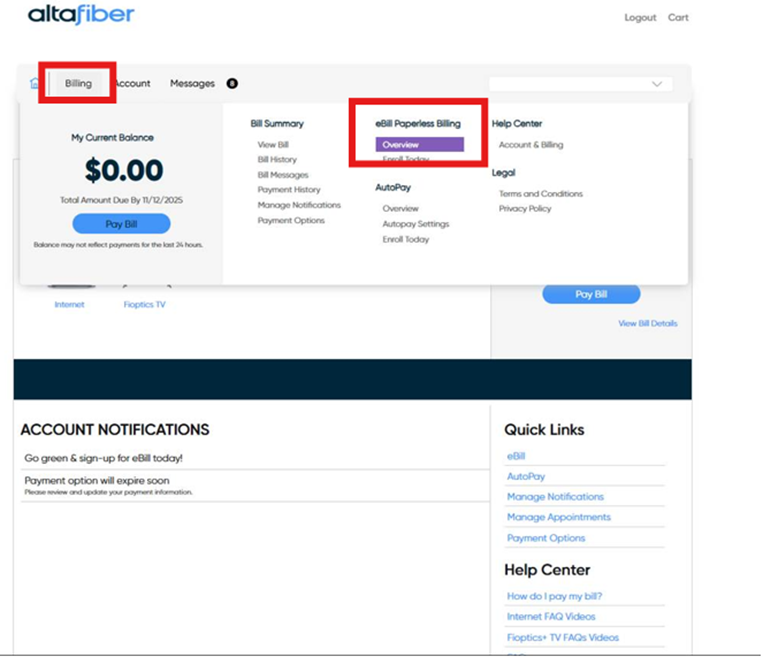
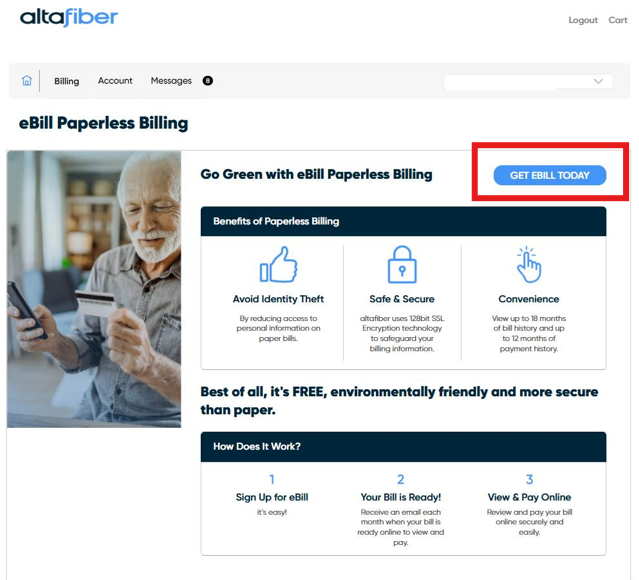
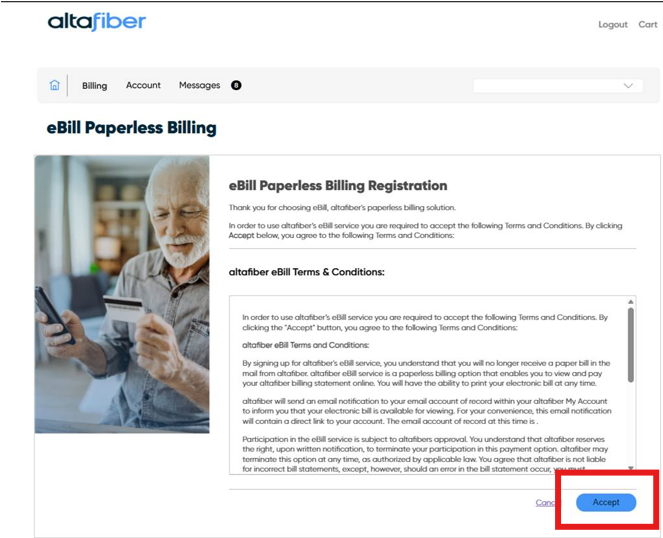
To enroll in eBill, login into your MyAccount, and follow the steps below:
1. Billing > eBill Paperless Billing > Overview
2. Select "Get eBill Today"
3. Agree to the Terms and Conditions
After signing up, each month your eBill will be available to view online 1-2 days after your billing date. Email or text notifications that your eBill is ready can be enabled by going to Billing > Bill Summary > Manage Notifications in your My altafiber Account.
To view your bill online, log on to your My altafiber Account and go to Billing > View Bill. This view displays all the billing details for any services on your account. You can also quickly and easily pay your bill online by going to this page. If you’d like to speak to a representative, please call 513-566-3807.